Add from a photo
Use the camera, photo library, product link or bulk import to start a sneaker record.
 PIECESGet the app
Sneaker collection tracker
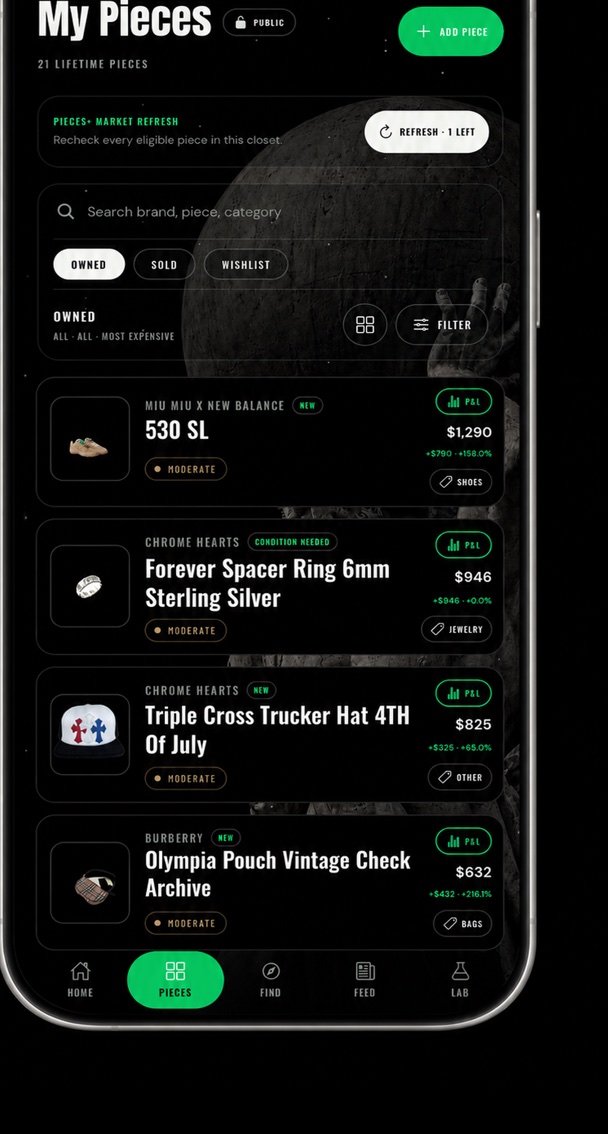
Keep your sneaker collection in one place. Save each pair’s size, condition and purchase price, then review estimated market values and track your collection’s profit and loss.
Get the appNow available for iPhone on the App Store. You can try the website P&L demo now.
Use the camera, photo library, product link or bulk import to start a sneaker record.
Save brand, model, size, condition, purchase price and the closet where the pair belongs.
Compare public market evidence while keeping the difference between asking prices and completed sales clear.
Build a P&L card from your whole sneaker closet, a preset or individually selected pairs.
A sneaker nickname is a useful starting point, but it can span several releases. Begin with the pair in front of you and check its labels before relying on a market comparison.
Use the inventory CSV to prepare a rotation checklist. The asking price versus sale price guide explains what each source can tell you, and the P&L guide shows the calculation.
A useful sneaker collection app separates the exact pair you own from a product you want. Look for photos, release details, size and condition, purchase cost and evidence behind any value estimate. If you need wear-count tracking, drop reminders or price alerts, confirm that the app offers those tools; Pieces does not promise them.
Pieces is for your owned collection and its informational value, including sneakers alongside clothing and accessories. It is not a sneaker marketplace or an automatic retail stock and order system. Start with one pair, correct the identified details and review the comparison before importing the rest of your rotation.
Yes: record the condition of your actual pair. Compare worn shoes with similar worn shoes, not automatically with a new-box price. StockX distinguishes marketplace conditions; a new, unworn Verified Marketplace pair is different evidence from a used listing. Our used-sneaker value guide explains how size, wear and accessories affect a comparison.
Keep wanted pairs in a wishlist; add them as owned only after you have them. That prevents a future grail from inflating your collection total. For tees, hoodies and caps alongside the rotation, use the streetwear inventory guide.
Sneaker tracker FAQ
No. Pieces is a collection tracker and discovery app. External merchant links open the original marketplace or retailer.
Yes. Condition can be recorded, and market evidence should be reviewed for comparability before relying on an estimate.
Yes. Organize rotations into closets and build a P&L from a specific closet or selected pieces.